Model once
The model is the one artefact the tool keeps. Everything you see — every diagram, every generated document — is drawn from it, so nothing has to be kept in step by hand.
Three synchronised views
The model tree for navigating and reorganising the model, the diagrams for working on it graphically, and the element details for every field of the selected element. Selecting an element in one selects it in the others. Diagrams are never drawn by hand: an edit on a diagram lands in the model, and every diagram is regenerated from it.
Real-time co-editing
There is no save button. Every change is committed as a revision of the project’s branch as it is made, and everyone working on that branch sees it at once (Modelling).
Reading a journey end to end
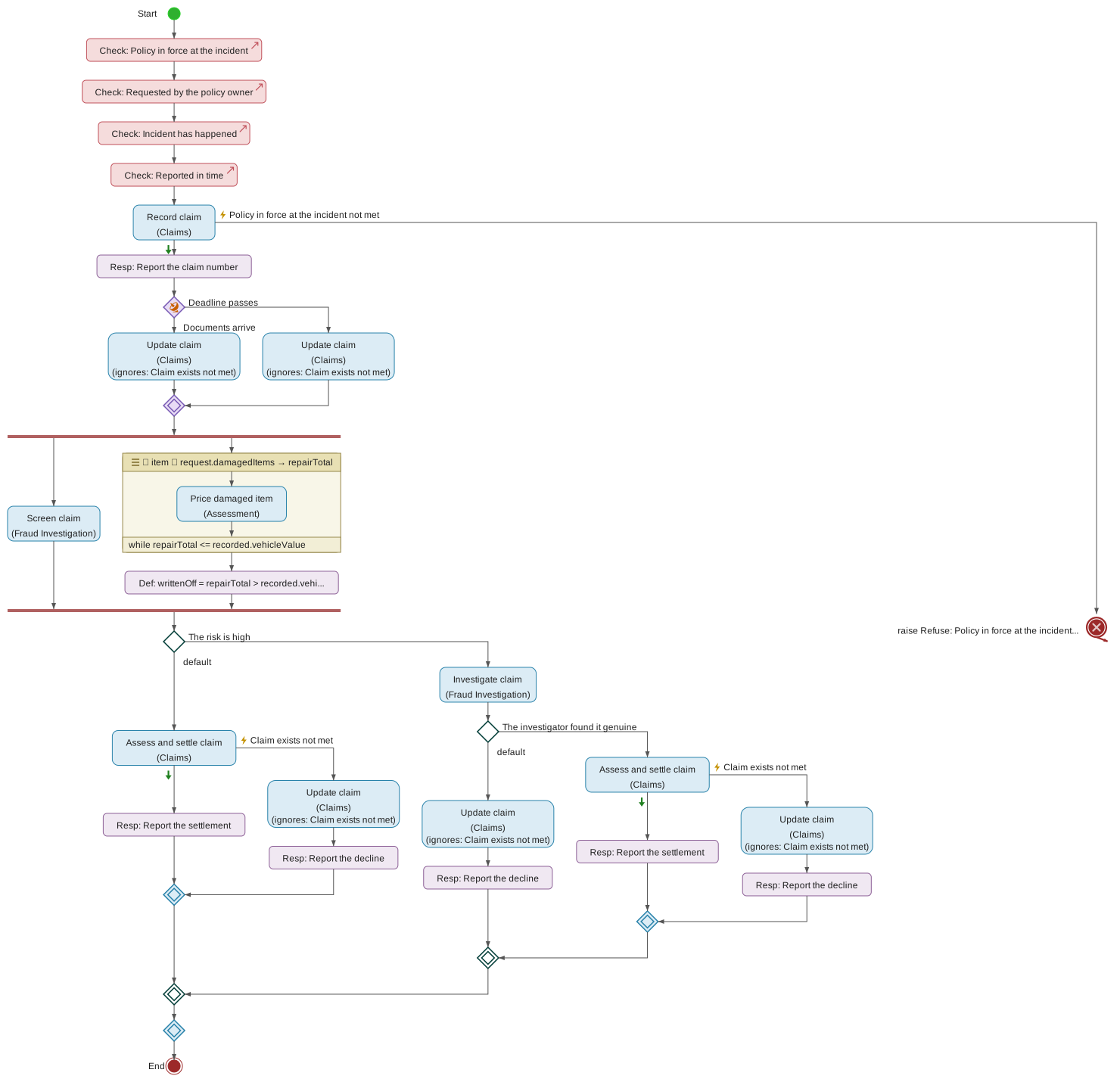
A requested service can be expanded in place in the Process View to show the process that realises it, so a journey is read either level by level or end to end.
Formal specifications and decisions
Constraints are written in URDAD-OCL or read and written as URDAD-FEEL, each checked where it is written and tried on an example before it is relied on. Business rules are decisions with decision tables, in the same model.
AI assistance, under review
An element’s informal requirements can be formalised into proposed model elements, the formal model checked against those requirements, or an element augmented (element actions). Proposals are reviewed one by one before they reach the model, and each accepted element records the requirement it was formalised from. The language-model provider, hosted or the organisation’s own, is configured by an administrator and reached only by the server.
Model verification
Each process is checked against its contract’s requirements, continuously as the model changes and on demand, at a functional or an executable level.
Annotations and libraries
Annotations carry the informal requirements and descriptions a model grows from. Element libraries supply reusable data types and services, and one model may depend on another.